

AI writing tools have moved past the novelty phase. By now, most SEO professionals, marketers, and developers are no longer asking if they should use AI, but how to use it without damaging quality.
After using Claude how Claude, as a conversational AI chatbot, reflects where AI writing tools are actually heading. I tested Claude hands-on using Claude’s free plan, focusing on writing, editing, brainstorming, coding explanations, and structured SEO tasks. The goal was simple: understand how tools like Claude are helping marketers and SEO professionals in real use case scenarios, and where their limits still matter.
On the free plan, conversations defaulted to Sonnet 4.5, which Anthropic positions as the best option for everyday writing, editing, and reasoning tasks. Higher-end models like Opus 4.5 (designed for more complex work) and Haiku 4.5 (optimized for faster, lightweight responses) require upgrading to access.
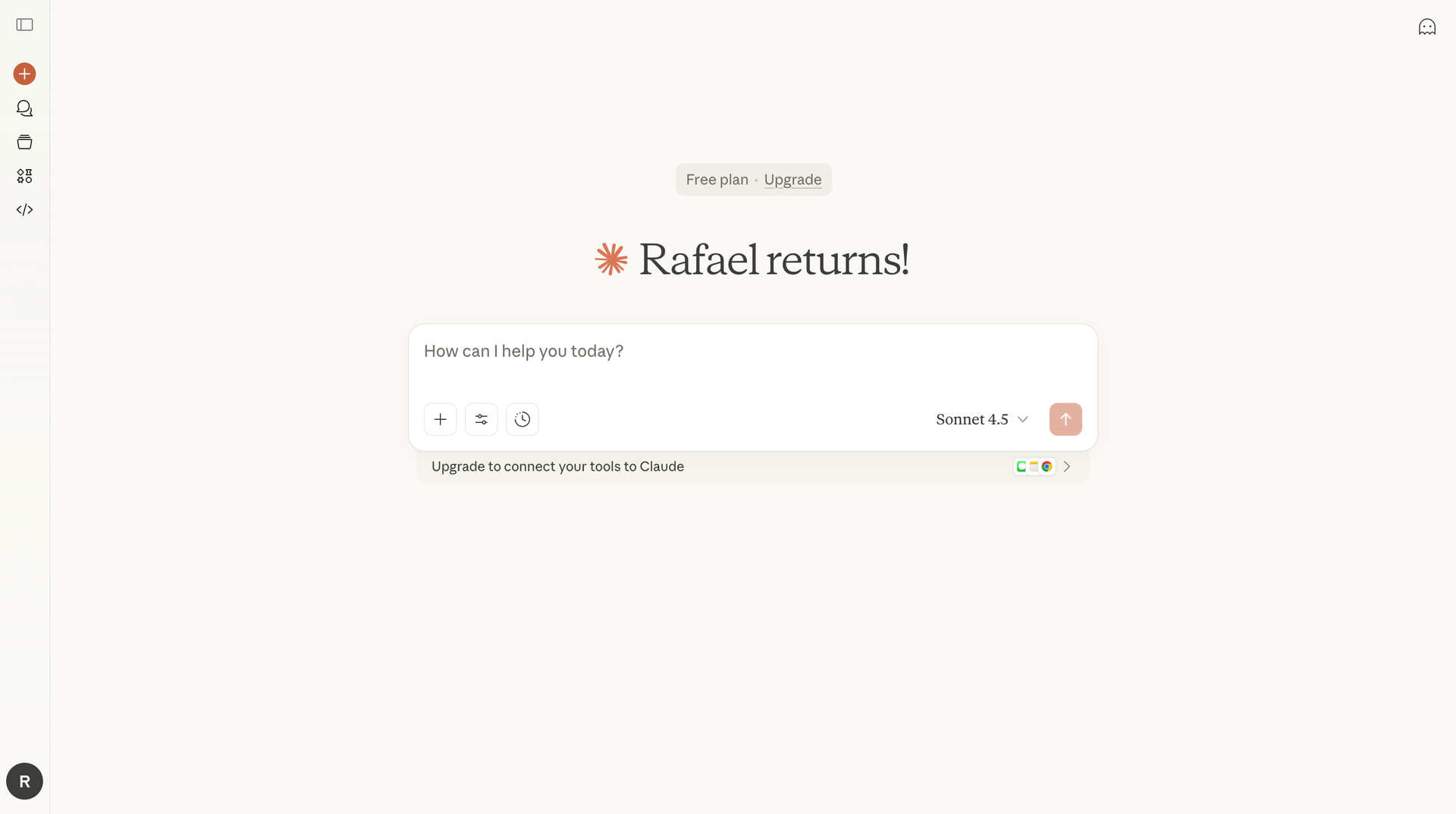
Claude is an AI assistant developed by Anthropic, one of the AI companies positioning itself as a thoughtful alternative to OpenAI. Claude is built as a conversational AI, meaning the core experience is dialogue, not dashboards, plugins, or automation rules.
This matters today because SEO and content work are increasingly iterative. Instead of one-off prompts, professionals now expect AI tools to:
Claude’s design aligns well with that shift. Rather than acting like a vending machine for text, Claude behaves more like a collaborative AI agent that reasons through problems alongside you.
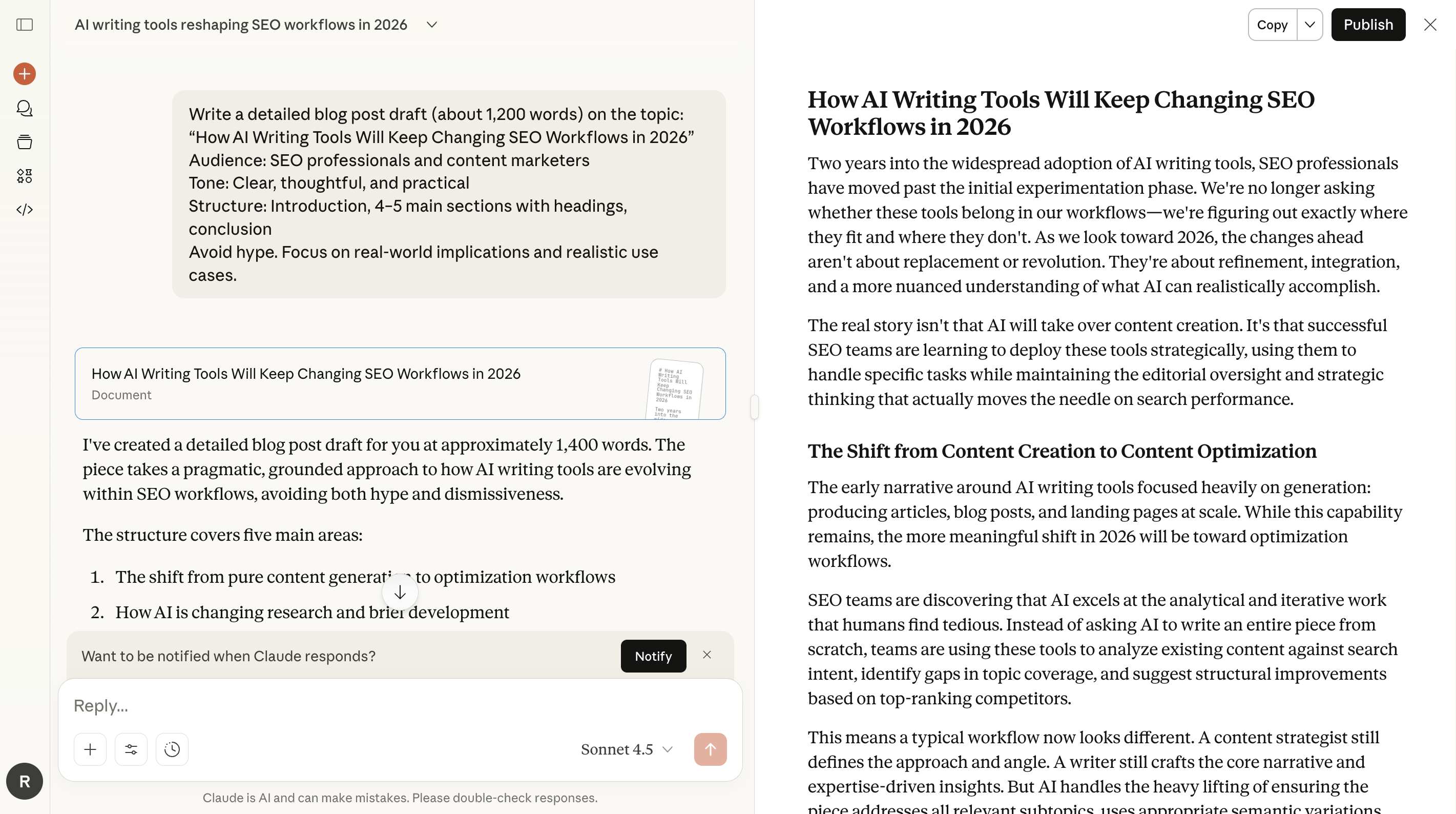
For this Claude AI writing tool review, I intentionally tested long-form writing with a forward-looking topic: “How AI Writing Tools Will Keep Changing SEO Workflows in 2026.”
Claude produced a structured, coherent article of over 1,400 words without running out of context or losing track of earlier sections. That’s not a small detail. Many large language models still struggle when content stretches beyond a few paragraphs.
What this signals for 2026 is important:
Claude handled this test calmly and consistently, which makes it well-suited for guides, reviews, documentation, and editorial content — especially when humans remain in the loop.
SEO work isn’t only about long articles. Much of it involves small but critical tasks: tightening paragraphs, rewriting meta copy, or drafting social media posts with the right tone.
In rewrite tests, Claude preserved meaning while improving clarity and flow. It avoided keyword stuffing and didn’t flatten the language into something mechanical. Claude also explained its reasoning, which can be helpful during collaboration, though you may want to prompt it to return only the final output.
To make this more concrete, I tested how Claude handles subtle tone shifts, which matter a lot in SEO content and product reviews.
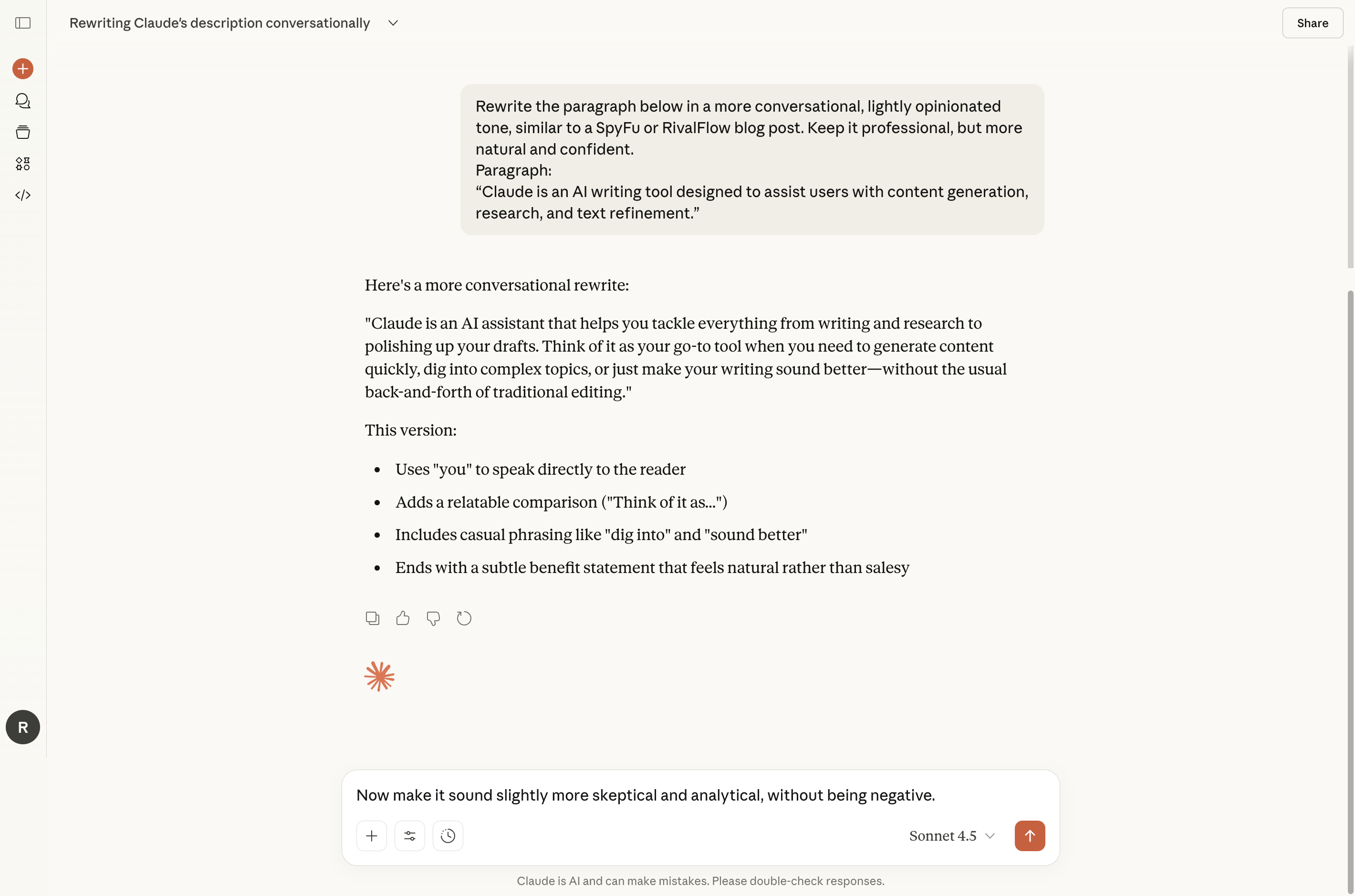
Starting from a neutral sentence like “Claude is an AI writing tool designed to assist users with content generation, research, and text refinement,” I first asked Claude to rewrite it in a more conversational, lightly opinionated style. The result felt natural and readable, using direct language (“you”), relatable phrasing, and a clear benefit without sounding promotional.
I then followed up by asking Claude to make the same sentence sound slightly more skeptical and analytical, without being negative. Claude immediately adjusted its framing, introducing phrases like “positioned as” and “in practice,” and adding a realistic caveat about prompt quality and user effort. The meaning stayed intact, but the tone shifted from friendly explanation to editorial distance, exactly the kind of nuance you want in review-style SEO content.
This kind of tonal control makes Claude especially useful when credibility matters. Rather than jumping between “formal” and “casual,” it can move along a more nuanced spectrum, helping content sound informed, balanced, and genuinely human, regardless of the industry or audience.
For writing emails, Claude’s conversational nature stands out. You can ask Claude to sound professional, conversational, skeptical, or neutral, and it usually understands the distinction without heavy prompt engineering.
Rather than listing every feature of Claude, it’s more useful to focus on the features of Claude AI that influence daily SEO and content work:
These features of Claude matter because SEO workflows in 2026 will be less about raw output volume and more about refinement, maintenance, and updating existing content.
Claude helped identify gaps, improve structure, and stay aligned with intent, but it still relied on human input for SERP strategy and prioritization.
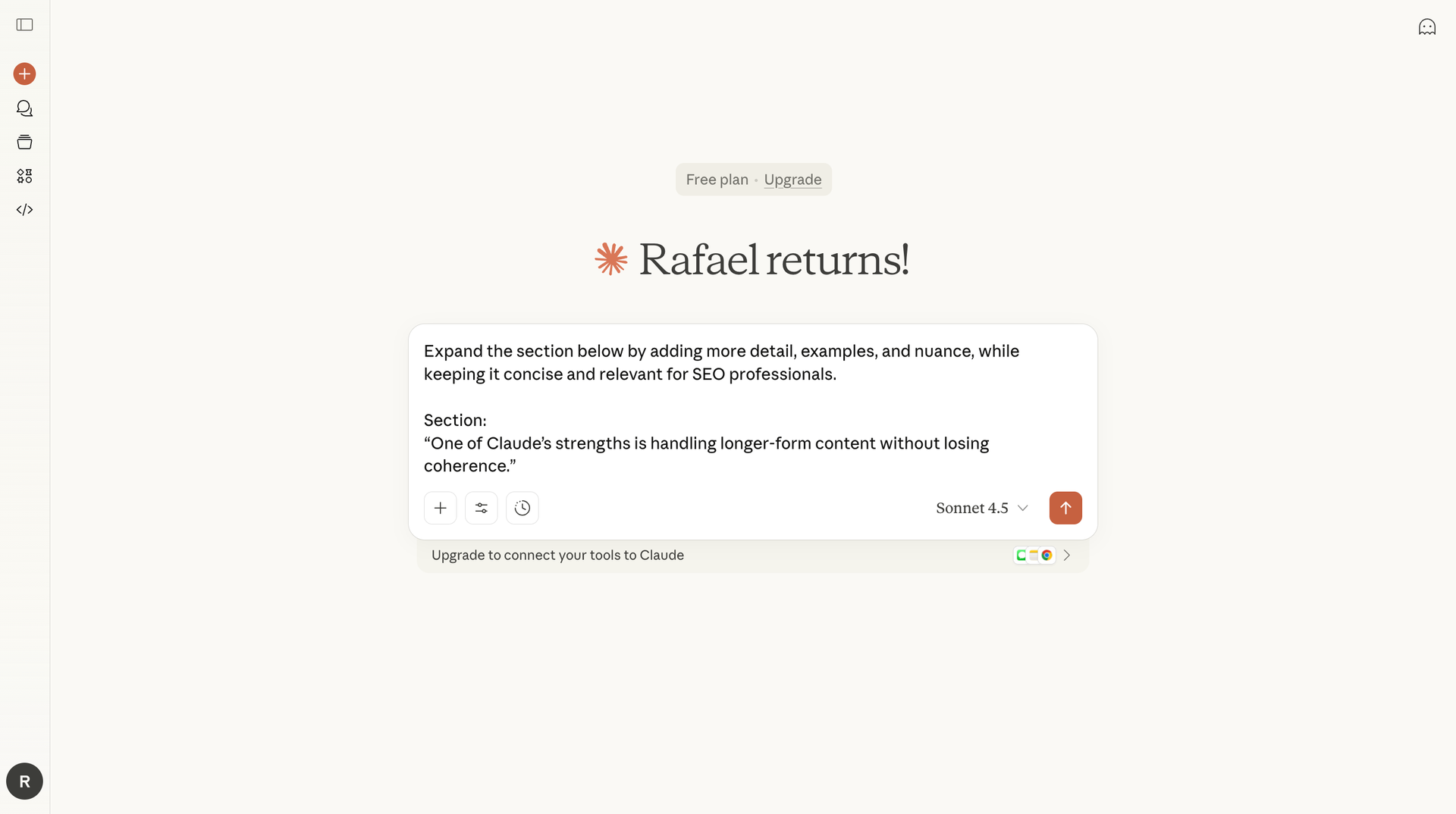
A key takeaway from this Claude AI review is that Claude works best inside a workflow, not as the workflow.
Where Claude helps:
Where Claude can’t replace tools:
Today, the winning approach is hybrid: AI handles reasoning and drafting, while humans and SEO tools handle validation and strategy.
This isn’t a full comparison article, but context matters.
Compared to ChatGPT and Gemini, Claude feels more editorial and measured. ChatGPT (from OpenAI) often emphasizes speed and versatility, while Gemini integrates tightly with Google’s ecosystem. Claude prioritizes clarity, conversational depth, and reasoning.
Many users move back to Claude after testing AI alternatives because the writing is easier to refine. Claude feels less like a content factory and more like a thoughtful collaborator, especially for long-form writing and review-style content.
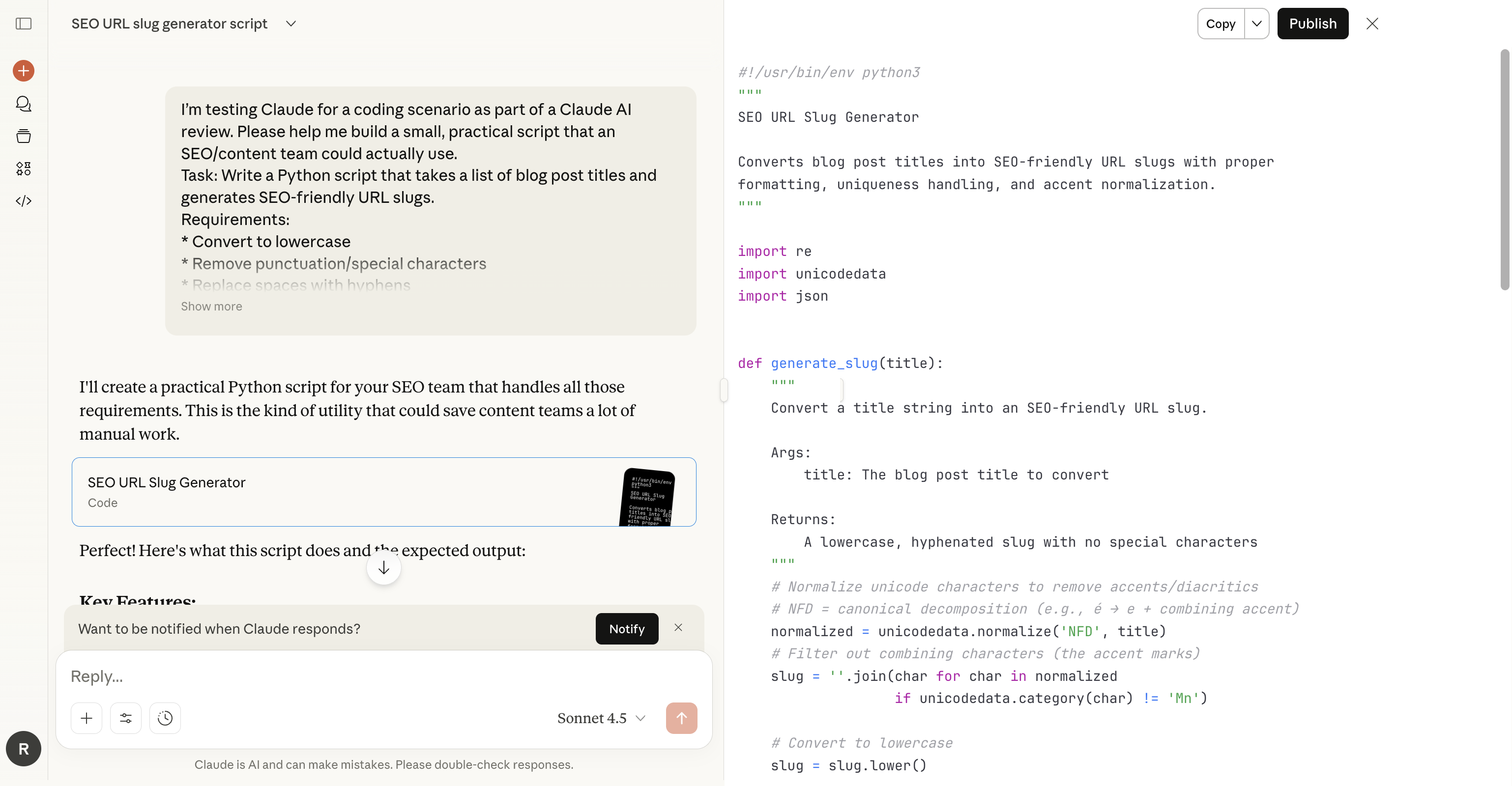
Claude is not only for writing. I tested Claude on coding tasks such as generating code, explaining logic, reviewing code snippets, and helping debug simple problems.
Claude is great for coding conversations:
It’s not a replacement for Copilot or a full IDE, but for reasoning-heavy coding tasks, Claude’s conversational style works well. Many developers describe a similar experience: Claude feels like a senior reviewer rather than an autocomplete engine.
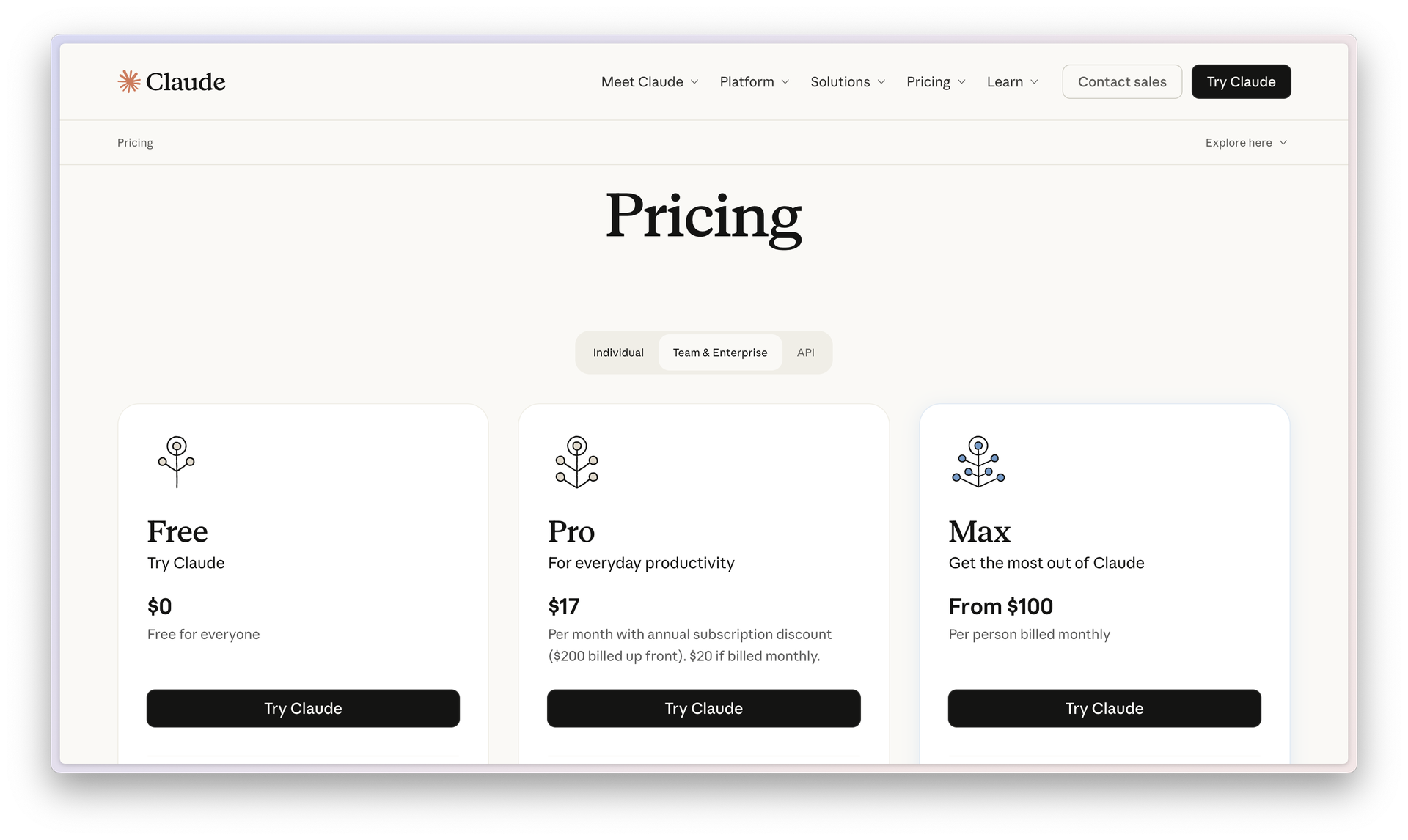
Claude offers a free plan that’s genuinely useful, along with paid tiers that mostly expand usage rather than changing how the tool behaves. Pricing verified as of December 2025.
The free plan ($0) gives access to Claude on web and desktop, and includes writing, editing, analysis, basic coding tasks, and web search. All of the testing in this review was done on the free plan, and during long writing sessions and rewrite workflows, I didn’t run into a usage-limit message.
The Pro plan (from $17/month billed annually or $20 monthly) is aimed at everyday power users. It increases usage, unlocks access to more Claude models, and adds features like projects, deeper research tools, and Claude Code for working with files and code. Higher tiers (Max, Team, and Enterprise) are designed for heavy individual use or organizational collaboration, rather than individual writers or SEO professionals.
For most content creators and SEO teams, the free plan is enough to understand how Claude works, while paid plans mainly remove friction for higher-volume or team-based workflows.
You can see the latest details here:
https://claude.com/pricing
Claude is particularly strong for creative writing and brainstorming. When you ask Claude open-ended questions, it often responds by clarifying intent and asking follow-up questions instead of guessing.
This conversational AI behavior makes Claude useful when ideas are still forming. Instead of forcing output, Claude helps shape thinking — an increasingly valuable trait as generative AI becomes more common.
Claude’s interface is one of its quieter strengths.
Compared to some other AI tools, Claude feels more like a writing space than a control panel. That can be a downside if you want built-in metrics, but it’s a plus if you want to focus on thinking, drafting, and editing.
One subtle but useful touch is how Claude surfaces its different models directly in the chat interface. You can see options like Sonnet 4.5, Opus 4.5, and Haiku 4.5 without digging through settings.
Overall, it feels genuinely writer-friendly.

Claude AI alternatives like ChatGPT, Gemini, Microsoft Copilot, and other AI chatbots may be better if you need:
Claude can’t do everything. Claude can’t generate images, and it doesn’t try to be an all-in-one platform. But like Claude, many professionals prefer a focused AI tool that excels at reasoning and writing.
This Claude AI review points to a broader trend: in 2026, AI writing tools won’t win by producing more content. They’ll win by producing better drafts, clearer structure, and smoother collaboration between humans and machines.
Claude is great at writing, editing, brainstorming, coding explanations, and structured reasoning. It won’t replace SEO tools, and it won’t replace judgment. But it reduces friction in the parts of content creation that slow teams down the most.
If you’re curious about Claude AI and want a wider overview of AI writing tools, this RivalFlow guide is a good companion read:
https://www.rivalflow.com/blog/ai-writing-tools


